TL;DR
- Free and built in: Meta Business Suite can message people who comment or DM a keyword. Its own help page lists the catch: up to 5 keywords, case-sensitive exact match, a 15-minute wait, desktop only.
- ManyChat does all of it well, but its free plan now covers 25 active contacts, and paid plans are in US dollars that grow with your audience.
- ViralDM has a free plan with no DM cap: the DM a minute or two after the comment, a public reply under it, story replies, Follow-first and Surge Guard pacing. Paid plans are in rupees.
- Disclosure: we make ViralDM. Meta, ManyChat and SuperProfile are described from their own pages, read on 14 October 2026.
You post a Reel that says "comment LINK and I'll send it". By evening there are 400 comments and you have answered 30 by hand. That is when people search for "Instagram auto reply" — and it means three things: a public reply under the comment ("Sent, check your DMs"), a private reply (the DM with the link — Meta allows one per comment), and a DM auto-reply for people who write to you directly.
Below: Meta's free tools, ManyChat and ViralDM, with SuperProfile alongside. We make ViralDM, so read its parts knowing that; the others are described from their own websites, dated.
Option 1: Meta's free automated replies
Meta Business Suite has Inbox automations for Facebook Pages and Instagram business accounts connected to it. Two matter here: Custom keywords, which answers a message containing words you choose, and Comment to message, which messages someone whose comment matches. Both are free. Meta's help page ("About Inbox automations in Meta Business Suite", read 14 October 2026) is clear about the limits:
- Up to 5 keywords or phrases per automation, and a keyword can be used in only one automation.
- Case-sensitive, exact match. A rule for LINK does not answer "link", "Link pls" or a typo.
- A 15-minute wait. A keyword reply goes out after 15 minutes unless you answer personally first.
- Desktop only, and the page describes Comment to message as answering comments that contain specific hashtags.
- Templates win. If your away message and a keyword rule both match, only the away message goes. Switching on Meta Business Agent pauses your automations.
Enough for: a shop answering a few DMs a day about price, timings and location. Not enough for: a Reel call to action. Comments arrive as "LINK", "link", "Link bhejo", "link?" and "lnk" — five spellings fill all five slots — and in fifteen minutes the person has scrolled on.
Option 2: ManyChat — and what it costs in India
ManyChat is the best-known Instagram automation tool, with complete comment features. Its help center describes comment triggers on one post, all posts or the next post; include or exclude words, or answer any comment; public replies that rotate several versions; a condition to DM only people who follow you; and triggers for story replies and Live comments. Manychat AI can match a DM by its intention rather than an exact word, and its blog says throttling kicks in automatically when comments pile up.
What Indians search is the price. ManyChat's pricing page (read 14 October 2026):
- Free: $0 for 25 active contacts a month — anyone you message, or who messages you, that month.
- Essential: $14 a month billed yearly, for 250 contacts. Pro, with Manychat AI: $29 a month billed yearly, for 2,500.
- Extra contacts are charged one by one; prices exclude tax and are set by your billing country.
So the bill grows exactly when a Reel works: 2,000 commenters in a month are 2,000 active contacts. That is why people look for a ManyChat alternative in India.
ManyChat also has a Follow to DM beta that greets new followers. Its help center (updated 31 August 2026) says Meta decides which accounts are eligible and allows one such message per person per week — so it is not something every account can switch on.
Where SuperProfile fits
SuperProfile is an Indian creator store with AutoDM built in. Its India pricing page (read 14 October 2026) lists Starter, free forever, with unlimited AutoDMs on Reels and posts, up to 10 leads, and "ask to follow" and email collection. Creator is ₹99 for the first month, then ₹499, adding stories and lives, up to 5 Instagram accounts, AI replies and comment moderation. If your store already lives there, its AutoDM is the natural choice. More: SuperProfile vs ViralDM.
Option 3: ViralDM — free, in rupees, built for Indian comments
ViralDM uses Meta's official Instagram API and is approved in Meta App Review. A comment automation sends the DM and then a public reply under the comment; a separate DM automation answers people who write to you.
- Matching that fits how India types. Keywords ignore capitals and match anywhere in the comment, so LINK also catches "link pls" and "Link bhejo". Add a misspelling as one more keyword, use Hindi script, exclude words such as "scam", or switch to whole-word matching.
- A human-paced DM. It goes out after a random 1–2 minutes, then the public reply confirms it under the comment.
- Follow-first. Someone who does not follow you yet is asked to follow and tap a button; the link goes out once they do, with one reminder.
- Ask for an email or WhatsApp number before the freebie, with consent recorded.
- Story replies on the free plan; Live comments from Starter.
What is free: the Free plan has no time limit and no DM cap — one automation with up to 3 keywords, on comments, story replies and DM keywords, plus 25 leads a month, Follow-first and Surge Guard. New accounts get ₹0 for their first 30 days of Starter, then the Free plan, forever, with no card. Starter is ₹499 a month (more automations, 2 accounts, AI replies); Growth is ₹1,499 (pricing). The honest limits: Free runs one automation, while SuperProfile's free plan lists unlimited AutoDMs on Reels and posts; and the first DM to each person carries a small ViralDM line until you upgrade.
Side by side
| Meta Business Suite | ManyChat | SuperProfile | ViralDM | |
|---|---|---|---|---|
| Free plan | Free | $0 for 25 active contacts | Free forever: unlimited AutoDMs on Reels and posts, 10 leads | Free forever: unlimited DMs, 1 automation with 3 keywords, 25 leads |
| Keyword matching | Up to 5 keywords, case-sensitive exact match | Include or exclude words, or any comment; AI intention on Pro and up | Matching rules: Not on their site | Any case, anywhere in the comment, Hindi script, words to exclude |
| When the reply goes out | After 15 minutes (keywords) | A Smart Delay can add a pause | Not on their site | After a random 1–2 minutes |
| Public reply under the comment | Not on their site | Yes, rotating versions | Not on their site | Yes, every plan |
| Follow-first | Not on their site | Yes, a "follows your account" condition | Yes, "ask to follow", free plan | Yes, every plan, with a reminder |
| Story replies | Not on their site | Yes | Creator plan | Yes, free plan |
| Live comments | Not on their site | Yes | Creator plan | Starter (first 30 days free) |
| Paid plans billed in | Free | US dollars, by billing country, tax extra | Rupees | Rupees, by UPI, card or net banking |
| Viral-safe pacing | Not on their site | Automatic throttling (their blog) | Not on their site | Surge Guard on every plan; up to 600 replies an hour |
Read 14 October 2026: Meta's Business Help Center, ManyChat's pricing page and help center, SuperProfile's India pricing page. "Not on their site" means the page we read does not say — not that the product cannot. Nine tools compared: the best Instagram auto DM tools in India.
12 Instagram auto reply message examples to copy
Each pair is the public reply under the comment and the DM. Keep the public reply short; put the useful part in the DM, because a comment gets only one private reply. {{name}} becomes the person's first name.
- Free guide (English). Public: "Sent! Check your DMs 📩" · DM: "Hi {{name}}! Here is the free guide you asked for: [link]. Reply MORE and I'll send part two."
- Free guide (Hinglish). Public: "DM check karo, link bhej diya 💌" · DM: "Hey {{name}}! Ye raha aapka free guide 👉 [link]. Koi sawaal ho to yahin reply karo."
- Price question (English). Public: "Price is in your DMs 🙂" · DM: "Hi {{name}}, this kurta is ₹1,299 with free delivery. Sizes and photos here: [link]"
- Price question (Hinglish). Public: "Price DM kar diya hai 😊" · DM: "Hi {{name}}! Ye kurta ₹1,299 ka hai, delivery free. Size dekhne ke liye 👉 [link]"
- Home baker's menu (English). Public: "Menu sent, check your DMs 🍰" · DM: "Hi {{name}}, here is this week's menu: [link]. Pre-orders close Friday at 6 PM."
- Consultation booking (Hinglish). Public: "Slot ki details DM mein bhej di ✅" · DM: "Namaste {{name}}! Consultation ₹499 ki hai. Apna slot yahan book karein 👉 [link]"
- Follow-first (English). Public: "Check your DMs, one quick step first 🙌" · DM: "Hi {{name}}! Follow us and tap 'I followed' below — the link unlocks straight away."
- Follow-first (Hinglish). Public: "DM dekho, link wahin milega 🔓" · DM: "Hey {{name}}! Pehle follow karo, phir neeche 'Followed' dabao — link turant aa jayega."
- Giveaway entry (English). Public: "You're in! Details in your DMs 🎉" · DM: "You're entered, {{name}}! Winners are announced in Sunday's story. Good luck 🍀"
- Email before the freebie (English). Public: "Sending it now 📩" · DM: "Hi {{name}}! Which email should the checklist go to? Reply with it and it's yours."
- Product from the Reel (Hinglish). Public: "Link DM kar diya, check karo 🛍️" · DM: "Ye raha woh product jo reel mein tha 👉 [link]. Aaj raat tak 10% off hai!"
- Webinar seat (English). Public: "Seat saved, details in your DMs 🎟️" · DM: "You're registered, {{name}}! We go live Saturday at 7 PM. Add it to your calendar: [link]"
What makes them work: the answer in the DM's first line, something to reply to at the end (a reply opens Meta's 24-hour window for a real conversation), and the language the person commented in.
Is auto reply safe for your Instagram account?
Safe automation means Meta's official API and Meta's published limits. From Meta's Instagram Platform documentation (read 14 October 2026):
- 750 private replies an hour per professional account, for comments on posts and Reels.
- One private reply per comment, within 7 days of it. Live comments can be answered only while the Live is on.
- Once the person replies to your DM, the normal 24-hour messaging window applies.
You will also see "200 DMs an hour" quoted online. It is not in Meta's documentation as we read it — treat it as some tool's own pacing choice.
How ViralDM stays inside those limits, on every plan:
- No password. You connect on Instagram's own login screen. A tool that asks for your Instagram password is not on the official API.
- 600 replies an hour per account, under Meta's 750. Anything above waits for the next hour; nothing is dropped.
- Surge Guard. When a Reel takes off, replies go out in paced waves instead of one burst; the rest wait in a queue.
- Nothing missed. Meta's comment notifications can arrive late or not at all when a Reel goes viral, so every 30 minutes ViralDM re-reads the comments on your automated posts and answers any it missed. Comment Rewind answers comments from the last 7 days that came in before the automation was on.
- Human pacing. One DM per person per 24 hours and a typing indicator. By default no DMs go out between midnight and 7 AM IST — those comments are answered from 7 AM; untick "Working hours only" to answer around the clock.
No tool can promise Instagram will never restrict an account; these controls keep you inside Meta's published limits.
How to set up a comment auto reply in ViralDM (5 steps)
- Switch Instagram to a Professional account (Creator or Business) in Instagram's settings. It is free.
- Create a free ViralDM account and connect Instagram through Instagram's own login.
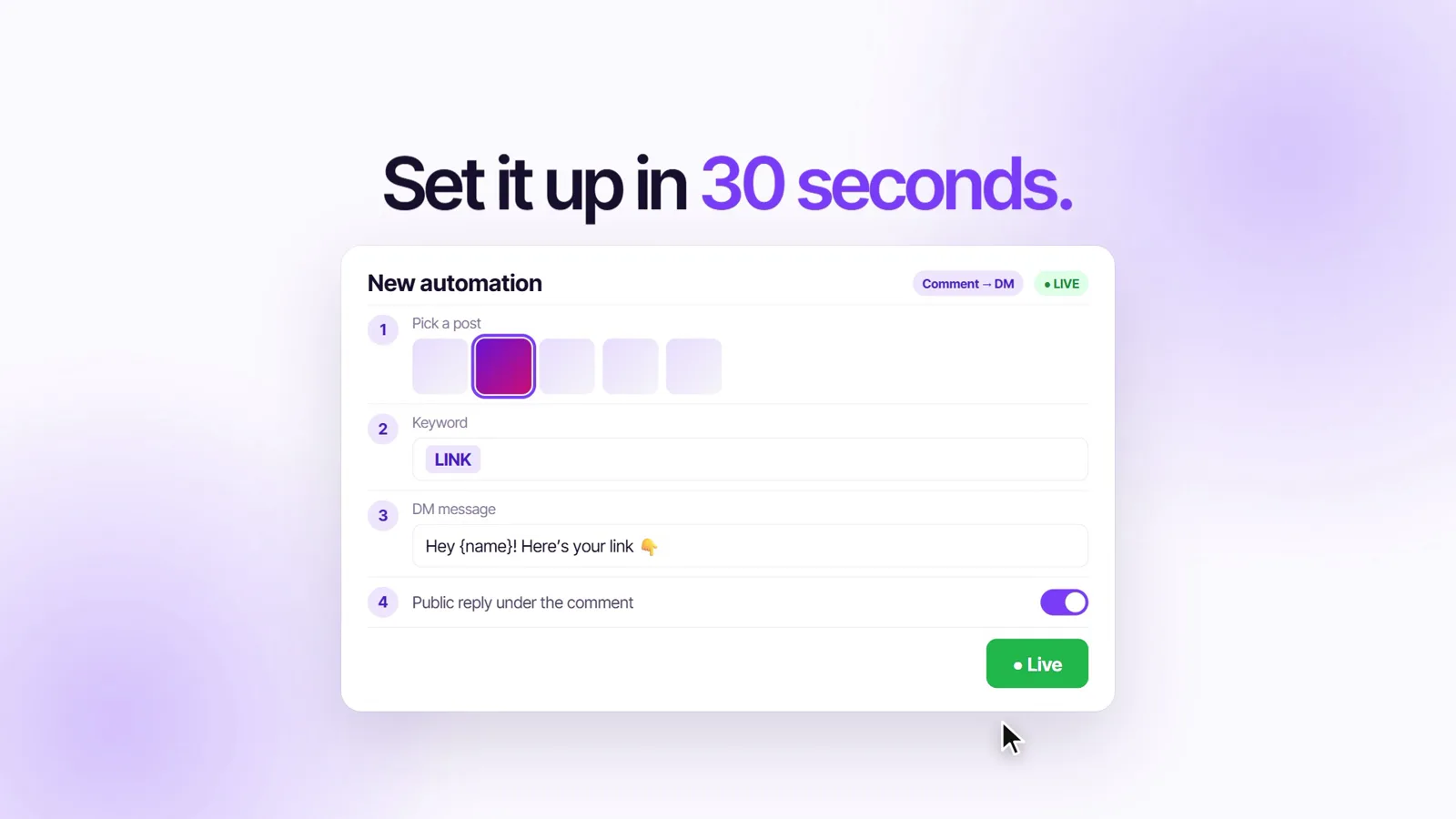
- New automation → comment on a post. Pick the Reel, or "next post" if it is not live yet, and add keywords such as LINK, lnk and लिंक. Capitals do not matter.
- Write the DM and the public reply. Switch on Follow-first or "ask for email" if you want them.
- Switch it on and test by commenting the keyword from a second account. The DM arrives a minute or two later, then the public reply.
With screenshots: comment to DM automation and free auto DM for Instagram. On Growth you can also type one sentence into Claude or ChatGPT and let it set this up — see ViralDM MCP.
Frequently asked questions
Can I auto reply to Instagram comments for free?
Yes. Meta Business Suite's Comment to message and custom keywords are free on desktop, with up to 5 case-sensitive keywords and a 15-minute wait. ViralDM's Free plan is free forever with no DM cap: one automation with a DM and a public reply, on comments, story replies and DM keywords. SuperProfile's free Starter plan has unlimited AutoDMs on Reels and posts.
How do I auto reply to comments on Instagram?
Use a Professional account and a tool on Meta's official API: create a comment automation on your Reel with a keyword such as LINK, write the DM and the public reply, switch it on, and test from a second account.
What should an Instagram auto reply message say?
The public reply: short, telling people to check their DMs. The DM: the link, price or slot in the first line, and something to reply to at the end — in the language your followers comment in. The 12 examples above include Hinglish.
How much does ManyChat cost in India?
ManyChat's pricing page (read 14 October 2026) shows a free plan for 25 active contacts, Essential at $14 a month billed yearly for 250 contacts, and Pro at $29 a month billed yearly for 2,500. Prices are in US dollars, set by your billing country, tax extra, with a charge for contacts beyond your plan. ViralDM is a flat ₹499 or ₹1,499 a month, with no per-contact charge.
Is SuperProfile auto DM free?
Yes, on its Starter plan: SuperProfile's India pricing page lists unlimited AutoDMs on Reels and posts, free forever. Stories and lives are on Creator — ₹99 for the first month, then ₹499.
Will auto replies get my account banned?
Answering people who commented or wrote to you, through Meta's official API, is what the API is for. Stay under Meta's 750 private replies an hour, keep replies short and natural, and avoid any tool that asks for your password. No tool can guarantee Instagram will never restrict an account.
Can I auto DM people who just follow me?
Not with ViralDM. Meta is testing a follow-to-DM for some accounts — ManyChat's help center calls it a beta whose eligibility Meta decides, one message per person per week. What works for every account is Follow-first: people comment a keyword, and the DM asks them to follow before it sends the link.
Final thoughts
A handful of DMs a day? Meta's free automations are enough. A Reel that says "comment LINK" needs a reply within minutes, matching that survives "Link bhejo" and typos, and pacing for the day it takes off. ManyChat does that in dollars that grow with your audience; ViralDM does it in rupees, with a free plan that has no DM cap. Set up your first comment auto reply before your next Reel goes up.